
Download MGES – search tool, desktop search, web search, productivity tool, utility app, customizable search bar, transparent search bar
Overview
MGES is a lightweight, productivity-focused utility designed to streamline web searching directly from the desktop. Its primary purpose is to provide users with instant access to online search functionality through a discreet, customizable interface. By integrating a transparent search bar into the user’s workspace, MGES reduces visual clutter while maintaining high accessibility—ideal for individuals who perform frequent online research, content creation, or information gathering. The app addresses common workflow disruptions by eliminating the need to open a browser window or navigate through bookmarks to initiate a search.
Target users include professionals, students, and casual internet users who value efficiency and a clean digital environment. The tool is especially beneficial for those working on multiple monitors or with minimal screen real estate, where minimizing interface elements is crucial. Although the developer, MGES, has not provided additional background details, the app’s longevity since its release in 2009 suggests a stable, low-maintenance design with enduring relevance in the utility space.
Real-world use cases include quick fact-checking during document writing, rapid access to tutorials or product comparisons, and seamless integration into research workflows. MGES contributes to the broader productivity ecosystem by offering a minimal yet effective solution for users seeking speed and simplicity in their digital interactions. Its focus on usability and design consistency makes it a notable presence among niche desktop tools.
Key Features & Functionality
- Discreet Design: The transparent search bar blends into the desktop background, appearing only when activated. This allows users to maintain a clean workspace while retaining immediate access to search capabilities.
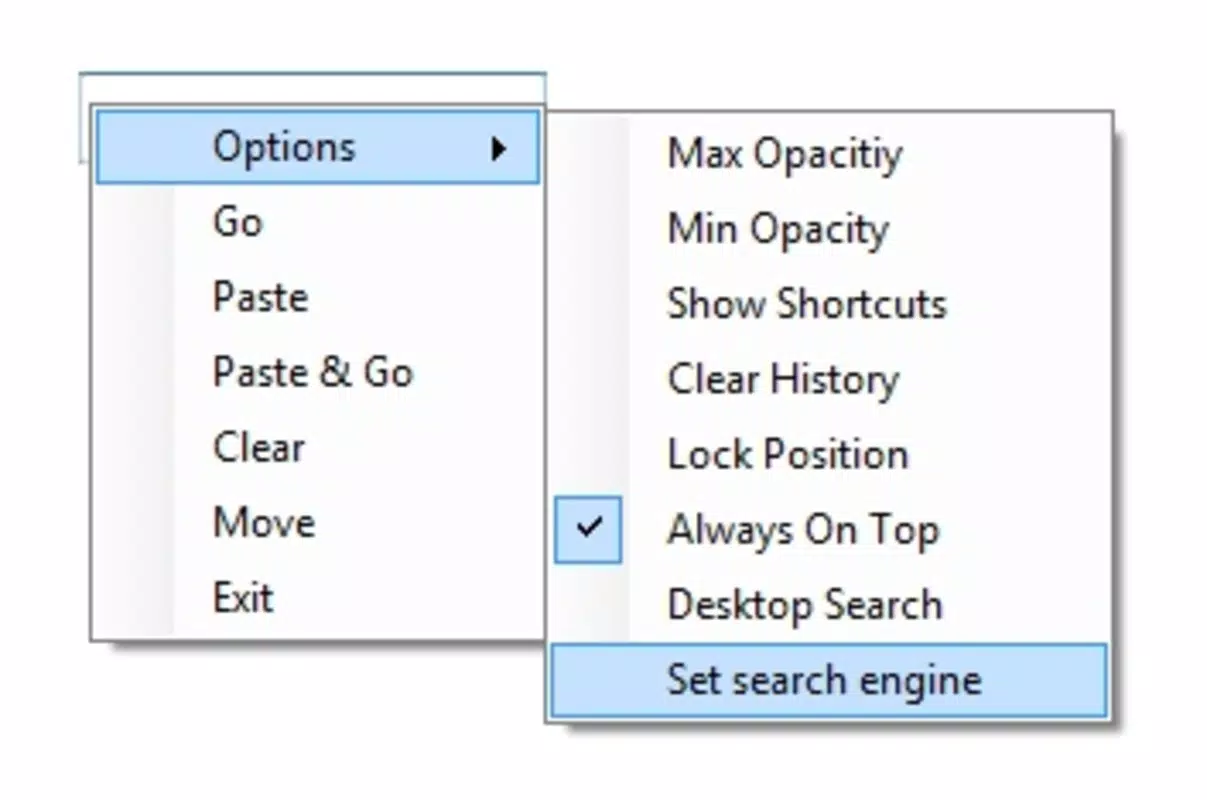
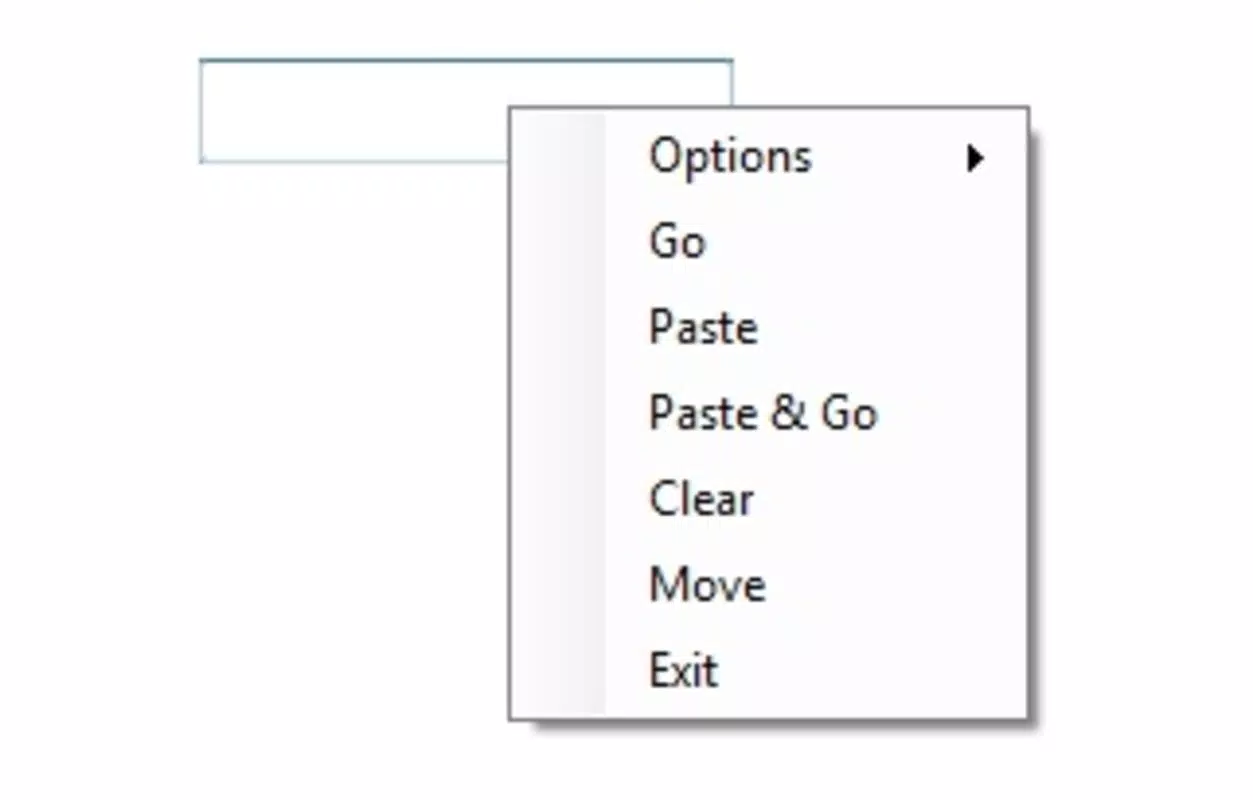
- Customizable Options: Users can adjust the position and transparency level of the search bar, enabling personalization based on workflow preferences—whether a subtle overlay or a more visible presence is desired.
- Search Engine Flexibility: MGES supports switching between default search engines, allowing users to align the tool with their preferred platform, such as Bing, DuckDuckGo, or Yahoo, for enhanced privacy or search results.
- History Management: Built-in functionality enables users to clear their search history, promoting data privacy and reducing the risk of sensitive queries being retained.
- User-Friendly Interface: The interface is designed for simplicity, requiring minimal learning time. Even users with limited technical experience can navigate and utilize the app effectively.
For example, a student writing a paper might use MGES to quickly verify a citation without switching applications. A content creator could use it to find reference images or quotes in real time. The ability to customize transparency and location ensures that the tool adapts to different screen layouts and user habits, enhancing its practicality across various use cases.
Interface, UX & Performance
The interface of MGES is minimalistic and centered around a single, unobtrusive search bar. Its transparent appearance ensures that it does not interfere with other desktop elements, preserving visual clarity. Navigation is intuitive: a simple click activates the bar, and typing begins the search immediately. The transition between hidden and active states is smooth, contributing to a seamless user experience.
Although the developer did not list formal performance metrics, the app’s file size of 1.2 MB suggests low resource consumption, making it suitable for older or low-spec Windows systems. Users can expect fast load times and responsive behavior during typical search operations. Stability appears consistent, given the app’s long-standing presence since 2009 without reported widespread issues.
Responsiveness across different device categories is not formally documented. However, its lightweight nature implies compatibility with a wide range of Windows-based devices, including desktops, laptops, and older machines. The absence of complex animations or background processes supports efficient performance even under moderate system loads.
Platform Compatibility & Technical Requirements
MGES is designed for the Windows platform and is compatible with Windows operating systems. The software version is 1.0, and the file size is 1.2 MB, indicating a compact and lightweight installation. The app is available at no cost, making it accessible to a broad user base.
The developer did not specify minimum OS requirements or compatibility details beyond the platform. As such, users should verify system compatibility with their current Windows version before installation. While the app has been in circulation since 2009, it may not support newer Windows versions without potential compatibility adjustments.
For users seeking a secure, free, and straightforward search tool, MGES offers a reliable option. Its small footprint and low resource usage make it suitable for environments where performance and space are priorities.
Pros and Cons
Pros
- Lightweight design with minimal system impact
- Transparent, non-intrusive interface that enhances desktop cleanliness
- Customizable positioning and transparency settings
- Supports multiple search engines for user preference
- Free to download and use, with no in-app purchases
- Simple, intuitive interface suitable for all skill levels
Cons
- Developer did not provide detailed system requirements
- Version 1.0 may lack support for newer Windows features
- No built-in update notifications or auto-update functionality
- Limited to Windows platform; no availability on macOS or Linux
- Functionality is basic and focused solely on web search
FAQ
Is MGES safe to download and install?
Yes, MGES is free and available without known malware. It is a lightweight utility with no reported security issues. As with any software, users should download from trusted sources to ensure authenticity.
Can I use MGES on Windows 11 or Windows 10?
While the developer did not specify compatibility details, the app’s long history suggests it may work on current Windows versions. However, users should test it on their system to confirm functionality.
Does MGES track my search history?
MGES includes a feature to clear search history, which allows users to manage their data. The app does not appear to store history by default, promoting user privacy.
Is MGES available for macOS or Linux?
No, MGES is currently only available for Windows. There is no official version for macOS or Linux.
How do I update MGES?
As the app is free and has not been updated since its release in 2009, there is no formal update mechanism. Users should manually check for new versions if available.
Final Thoughts + CTA
MGES stands out as a remarkably simple yet effective tool for users who prioritize speed, cleanliness, and control in their desktop experience. Its transparent, customizable search bar offers a practical solution for those who frequently search the web without wanting to disrupt their workflow. Despite its age and lack of modern updates, the app remains functional and efficient, particularly for users with older systems or minimal resource needs.
While it lacks advanced features or cross-platform availability, MGES delivers exactly what it promises: a secure, lightweight, and user-friendly search utility. It is ideal for students, researchers, and professionals who value a distraction-free environment and quick access to information.
For anyone seeking a free, no-frills productivity tool that enhances daily computing without bloat, MGES is a reliable choice. Its enduring presence in the utility space speaks to its effectiveness and stability.
Download MGES now


